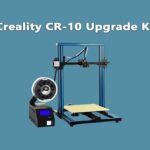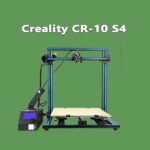
Short verdict: These two printers share the same 300 × 300 × 400 mm build volume and the same basic gantry design, but the CR-10S Pro (2018) is the more complete machine: dual Z screws, a capacitive auto-levelling probe, filament runout sensor, colour touchscreen, a quieter and better power supply, and resume-after-power-loss. The original CR-10 (2017) is the simpler, cheaper printer — and on the used market it is usually much cheaper still. If you find both second-hand at similar money, take the CR-10S Pro. If a CR-10 is significantly cheaper and you enjoy tinkering, it remains a capable platform that accepts most of the Pro’s advantages as upgrades. Neither printer is sold new by Creality anymore, so this comparison is written for two audiences: existing owners thinking about upgrading, and used buyers deciding between listings.
CR-10 vs CR-10S Pro: Full Specs Comparison
| Specification | Creality CR-10 (2017) | Creality CR-10S Pro (2018) |
|---|---|---|
| Build volume | 300 × 300 × 400 mm | 300 × 300 × 400 mm |
| Frame | Aluminium extrusion gantry, separate control box | Aluminium extrusion gantry, separate control box |
| Z motion | Single lead screw | Dual lead screws |
| Extruder | Single-gear Bowden extruder, standard PTFE tube | Upgraded dual-gear style Bowden extruder, Capricorn PTFE tube |
| Hotend | MK8-style, PTFE-lined (~240 °C practical max) | MK8-style, PTFE-lined (~240 °C practical max) |
| Bed surface | Glass plate | Glass plate (later/factory-coated variants exist) |
| Bed levelling | Manual, 4 thumb wheels | Capacitive auto-levelling probe + manual wheels |
| Filament sensor | No | Yes — runout sensor |
| Display | Monochrome LCD with rotary knob | Colour touchscreen |
| Mainboard | 8-bit board (ATmega-based), standard drivers, separate control box | 8-bit board (ATmega2560-based), standard drivers, control box with improved cooling |
| Power supply | Generic 12V supply | Mean Well 24V supply |
| Power-loss recovery | No (added only on later CR-10S, not the base CR-10) | Yes |
| Assembly | Kit — base frame pre-built, gantry to fit (~30–60 min) | Mostly assembled, faster setup |
| Launch price (era) | ~$399–499 | ~$599–699 |
| Status in 2026 | Discontinued — used market only | Discontinued — used market only |
Note on specs: Creality revised both models quietly during production, and the aftermarket has modified most surviving machines. Treat any individual used listing’s spec as “verify before you buy,” especially extruders and beds, which owners swap constantly.
Feature-by-Feature: What Actually Differs
Z motion: single vs dual lead screw
This is the CR-10S Pro’s most meaningful hardware upgrade. The original CR-10 drives its gantry from one side with a single lead screw; the far side of the X gantry can sag slightly and needs its eccentric nuts kept in adjustment. The Pro’s dual lead screws lift both sides evenly, which improves layer consistency on tall prints and removes a whole class of “why is one side of my gantry lower” troubleshooting. It is also the hardest Pro feature to retrofit to a CR-10 — dual-Z kits exist, but they cost real money and time.
Bed levelling: manual vs capacitive probe
The CR-10 is fully manual: four thumb wheels and a piece of paper. The CR-10S Pro adds a capacitive probe that measures the bed and compensates for small warps, on top of manual wheel adjustment. In practice the probe makes first layers more consistent, but it is not fire-and-forget — the stock capacitive sensor drifts slightly with temperature, and the later CR-10S Pro V2 replaced it with a BLTouch for exactly that reason. On a used Pro, budget for a BLTouch swap as a likely early upgrade.
Extruder and filament path
Both printers are Bowden machines. The Pro shipped with an upgraded dual-gear style extruder and a Capricorn PTFE tube with a tighter internal tolerance and better heat resistance near the nozzle, which together grip filament more reliably and reduce retraction slop. The original CR-10’s single-gear extruder and generic tube work fine for PLA but are common first upgrades. Full details of tuning either machine are in our Creality CR-10 settings and guides — and if you are chasing cleaner walls, start with calibrating your extruder and axes (the method is identical on the CR-10 platform).
Sensors and electronics
The Pro adds a filament runout sensor — on a printer whose selling point is 20+ hour prints in a 400 mm tall volume, running out of filament overnight is a real failure mode, and the sensor plus pause is a genuine save. The Pro also includes resume-after-power-loss, a colour touchscreen that is simply nicer to live with than the CR-10’s click-wheel LCD, and a Mean Well 24V power supply that runs quieter and heats the bed and nozzle faster than the CR-10’s generic 12V unit. Neither board is a silent-driver board: both use standard stepper drivers on 8-bit electronics, so both printers make the era-typical stepper noise. If quiet matters, a modern 32-bit silent mainboard is a drop-in upgrade path for either machine — see our 4.2.2 board diagram and pinout guide for what the newer Creality boards involve.
Assembly and ownership
The CR-10 arrives as a part-built kit: bolt the gantry to the base, connect the control box, level, print — most owners are running within the hour, and the assembly teaches you how the machine works. The CR-10S Pro arrives more completely assembled and calibrates faster thanks to the probe. For second-hand buyers this matters less than condition: cables, wheels, the PTFE coupler, and the state of the glass bed tell you more about a listing than the model badge does.
Print Quality, Speed and Usability Compared
Print quality. Both machines share a nozzle, hotend design and motion layout, so their ceiling is similar: tuned well, either produces clean PLA prints with 0.4 mm detail that still holds up today. The Pro is more consistent — dual Z keeps layers even over height, the probe flattens first-layer variation, and the better extruder and Capricorn tube reduce retraction artefacts. The CR-10 can match it print-for-print, but asks for more frequent re-levelling and tuning to stay there.
Speed. Realistic print speeds are similar (both are bed-slingers of the same era; 40–60 mm/s is the comfortable range). The Pro’s 24V system shortens heat-up waits rather than print time. Neither machine is fast by 2026 standards next to modern high-speed printers in our best Creality 3D printer reviews — but speed was never this pair’s selling point; volume per dollar was.
Usability. The Pro wins clearly: touchscreen, runout sensor, power-loss resume and probe levelling add up to fewer failed overnight prints and less babysitting. The CR-10’s counter-argument is simplicity: fewer sensors means fewer things to fail, misread, or need firmware attention — one reason so many original CR-10s are still in service as workshop machines.
Who Should Buy Which?
Buy the CR-10S Pro if the price gap in local listings is small (as it often is now), you print large parts overnight, or you want the least-fuss ownership experience from a printer of this era. It is the better default recommendation of the two.
Buy the CR-10 if it is substantially cheaper, you are comfortable levelling manually, or you specifically want a simple, endlessly modifiable project platform. At the right price it is still one of the best-value large-format starting points in 3D printing.
Used-market checklist for both: print a test Benchy or calibration cube before paying if you can; check the gantry for sag and the wheels for flat spots; inspect the PTFE tube’s nozzle end for burning/gaps; confirm the bed heats evenly and the glass isn’t chipped; on the Pro, also test the runout sensor and watch one auto-level run end to end. See our CR-10 buying and setup resources for more detail.
Existing owners: a CR-10 owner gains the most from (in order) a BLTouch, a dual-gear extruder + Capricorn tube, and a silent 32-bit board — by which point you have most of the Pro experience. A Pro owner gains the most from a BLTouch (if still on the capacitive probe) and the same silent board upgrade.
Frequently Asked Questions
What is the main difference between the CR-10 and CR-10S Pro?
Hardware completeness. The CR-10S Pro adds dual Z lead screws, a capacitive auto-levelling probe, a filament runout sensor, a colour touchscreen, power-loss recovery and a 24V Mean Well power supply, on top of the same 300 × 300 × 400 mm build volume both printers share.
Is the CR-10S Pro worth the extra money over the CR-10?
When both were new, the ~$200 premium bought real convenience. On today’s used market the gap is usually far smaller, which makes the Pro the better buy in most listings. If a CR-10 is dramatically cheaper and in good condition, it is the value pick — the print quality ceiling is nearly the same.
Can the CR-10 print as well as the CR-10S Pro?
Yes, with tuning. The hotend, nozzle and motion design are shared, so a well-maintained CR-10 matches the Pro’s output. The Pro’s advantage is consistency — dual Z screws and probe levelling mean it reaches that quality with less effort and holds it longer between adjustments.
Are the CR-10 and CR-10S Pro still worth buying in 2026?
As inexpensive, large-volume workshop machines, yes — with eyes open. Both are discontinued, parts are generic and cheap, and the community knowledge base is enormous. But they lack the speed, silent drivers and automation of current printers; if your budget stretches to a modern machine, compare against our best Creality 3D printer reviews before paying top money for a used unit.
Can I upgrade a CR-10 to CR-10S Pro spec?
Mostly, yes. A BLTouch, dual-gear extruder, Capricorn tube, runout sensor and a 32-bit silent board are all established upgrades. Dual Z is possible with a kit but is the most involved job. Add up the parts cost first — on today’s market, a tidy used CR-10S Pro can cost less than upgrading a CR-10 piece by piece.
Hassan Khan

Hassan Khan is a leading voice when it comes to the innovative world of additive manufacturing. A mechanical engineer by training, Hassan quickly recognized the transformative potential of 3D printing, diving headfirst into the intricacies of printer design, filament research, and software optimization. At CrealityLovers.com, Hassan shares his profound knowledge, from insightful reviews and tutorials to forward-thinking op-eds that forecast the future of 3D printing. Hassan's commitment goes beyond the written word. Hassan Khan aims to empower every reader, from novices to industry experts, ensuring they make informed decisions in their 3D printing endeavors.