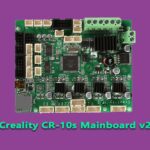
A pinout is simply the map of a mainboard’s connectors: which socket drives which motor, which plug reads which sensor, and which terminals feed the heaters. You need that map whenever you swap a board, add a BLTouch or CR Touch, replace a fan or thermistor, or track down a dead port. The catch is that Creality has shipped several different board families over the years, and connectors moved between generations — a socket in one corner of a 4.2.2 may not exist at all on a V1.1.x. This page is the index across those families: what each board actually has, in plain terms, so you can find the connector you are looking for.
First, identify your board
The board version is silkscreened on the PCB itself — look for a print such as “V1.1.4”, “V2.1” or “CREALITY 3D V4.2.2” near an edge of the board; you will usually need to open the electronics case to read it (power off and unplugged first — see the safety notes below). The connector vocabulary is the same across all four families:
- Stepper sockets – one 4-pin socket per axis motor: X, Y, Z and E (the extruder).
- Endstop sockets – 3-pin inputs for the X, Y and Z limit switches.
- Thermistor sockets – 2-pin inputs for the hotend and bed temperature sensors.
- Heater outputs – high-current screw terminals for the hotend heater cartridge and the heated bed.
- Fan sockets – 2-pin outputs for the hotend fan and the part-cooling fan.
- Power input – the main PSU screw terminal, plus display (EXP/LCD), USB and SD connections.
V1.1.x (8-bit Melzi) — original Ender 3, Ender 3 Pro and CR-10
The V1.1.3 and V1.1.4 boards fitted to the first Ender 3 generation (and the closely related boards in the original CR-10) are 8-bit Melzi designs built around an ATmega1284P, with soldered stepper drivers. The layout is a single row of white JST sockets along one side: X, Y, Z and E stepper outputs, then the X, Y and Z endstop inputs, and the two thermistor sockets for hotend and bed. The heated bed and the hotend heater connect on screw terminals, as does the PSU input. The display connects with a single 10-pin ribbon cable, and the board carries a mini-USB port and the SD card slot.
Two things catch owners out on this family. First, there is effectively one controlled fan output, used for part cooling; the hotend fan on these machines runs whenever the printer has power, and extra fans usually mean splitters rather than a spare socket. Second, there is no dedicated BLTouch port: the probe’s signal pin is shared with the LCD buzzer line, which is why fitting a BLTouch to a V1.1.x board normally means a “Pin 27” breakout adapter and a firmware change. A later V1.1.5 “silent” revision of this board swapped in TMC stepper drivers, but the connector layout stayed the same.
CR-10S V2.x boards — the control-box generation
The CR-10S moved its electronics into a separate control box, and its V2.0, V2.1 and V2.2 boards are 8-bit ATmega2560 designs. The connector set follows the same pattern — X, Y, Z and E stepper sockets, X/Y/Z endstops, hotend and bed thermistors, and screw terminals for the bed heater, hotend heater and PSU input. The CR-10S has a filament runout sensor, and its input sits on the mainboard inside the box. Its two Z motors are not driven independently: they are fed in parallel from the single Z driver, typically via a splitter cable, so one Z socket does the work of two motors. The control-box display connects by ribbon cable, and the box presents a full-size USB-B port alongside the SD slot.
Probe support depends on the exact revision: later V2.x boards carry a dedicated header for a BLTouch-style probe, while on earlier revisions adding one follows the same shared-pin workaround as the V1.1.x boards. The stepper drivers are soldered on most revisions, so a dead driver means a board swap.
Creality 4.2.2 — the 32-bit Ender board
The 4.2.2 is the board most current owners meet: a 32-bit board (STM32, with some boards built around a GD32 chip) fitted to the Ender 3 V2 and later Ender 3-family machines. Its connectors are the reference layout for modern Creality boards:
- Steppers and endstops – labelled X, Y, Z and E0 sockets, with the matching X, Y and Z endstop sockets beside them.
- Thermistors – two 2-pin sockets silkscreened TH (hotend thermistor) and TB (bed thermistor). Swapping them causes no damage, but the printer then reads each heater’s temperature from the wrong sensor — label them before unplugging.
- Heaters and power – the hotend heater, heated bed and 24V PSU input all land on screw terminals along the board edge.
- ABL probe port – a dedicated 5-pin JST socket for a BLTouch or CR Touch, so no adapter board is needed.
- Filament sensor – machines sold with a runout sensor, such as the Ender 3 V2, use a small dedicated socket near the edge of the board.
- Fans – three look-alike 2-pin fan sockets, and this is the family’s classic trap. One feeds the hotend fan, which must run whenever the hotend is hot; one feeds the part-cooling fan, which the slicer controls; and one feeds the mainboard fan, which on the stock Ender 3 V2 runs together with the part-cooling fan. Swap the hotend and part-cooling cables and you get a part fan that never stops and a hotend fan that only spins while printing — a reliable recipe for heat-creep clogs.
- Display, USB and SD – the colour screen of the Ender 3 V2 connects by its own display lead rather than the older ribbon arrangement; boards in machines with a rotary knob screen use the EXP display socket instead. A micro-SD slot and a micro-USB port sit on the board edge.
Because the 4.2.2 is so widely documented, it has its own page on this site: the full Creality 4.2.2 board diagram guide walks every connector one by one. Use this page to orient yourself across boards, and that guide when you are working on a 4.2.2 specifically. One caution: the stepper driver chips on 4.2.2 boards vary by production batch (TMC2208 and TMC2225 are common), so firmware must match your exact board and driver combination.
Creality 4.2.7 — same pinout, quieter drivers
The 4.2.7 is best understood as a driver revision of the 4.2.2 rather than a different board. The PCB layout and the pinout are the same socket-for-socket: identical stepper, endstop, TH/TB thermistor, heater, fan, probe and display connections in identical positions, so a 4.2.7 drops into a 4.2.2 machine and every cable lands where it did before. The difference is underneath: the 4.2.7 uses TMC2225 stepper drivers as standard — hence its “silent board” reputation — while 4.2.2 driver fitment varies. Everything in the 4.2.2 section above — including the three look-alike fan sockets and the 5-pin probe port — applies equally to the 4.2.7. What does not carry over is the firmware: load a build made for the exact board version you have fitted, because the driver configuration differs even though the plugs do not.
Quick comparison
| Board family | Typically found in | Processor | Dedicated probe (BLTouch/CR Touch) port | Notes |
|---|---|---|---|---|
| V1.1.x | Ender 3, Ender 3 Pro, original CR-10 | 8-bit ATmega1284P | No — Pin 27 adapter needed | Soldered drivers; hotend fan runs whenever powered |
| CR-10S V2.x | CR-10S control box | 8-bit ATmega2560 | On later revisions — check silkscreen | Filament runout input; dual Z motors fed in parallel |
| 4.2.2 | Ender 3 V2 and later Ender 3 family | 32-bit STM32 / GD32 | Yes — 5-pin JST port | TH/TB thermistor sockets; three look-alike fan sockets |
| 4.2.7 | Ender 3 V2 (later), upgrade boards | 32-bit STM32 / GD32 | Yes — 5-pin JST port | Same layout as 4.2.2; TMC2225 drivers as standard |
Safety: before you unplug anything
- Power off and unplug. Switch the printer off at the PSU and pull the mains plug before touching any connector — and give the PSU a minute after unplugging, because its capacitors can hold charge briefly.
- Never swap plugs live. Unplugging a stepper motor or fan while the board is powered can destroy the stepper driver on the spot.
- Photograph first. Take a clear phone photo of every connector before you unplug it. On boards with three identical fan sockets and two identical thermistor sockets, that photo saves a long troubleshooting session.
- Label the look-alikes. A small strip of tape marked TH and TB (and one on each fan lead) pays for itself the first time the board comes out.
- Tug-test heater wires. Heater and PSU leads on screw terminals should be firmly seated — a loose high-current terminal is a heat and fire risk. Screw them down snugly, then give a gentle pull to confirm.
Frequently asked questions
Are the Creality 4.2.2 and 4.2.7 pinouts the same?
Yes — the two boards share the same layout, and every connector (steppers, endstops, TH/TB thermistors, heaters, fans, the 5-pin probe port, the display) sits in the same place. What differs is the stepper driver fitment — TMC2225 as standard on the 4.2.7, batch-dependent on the 4.2.2 — and therefore the firmware build you should run.
Can I add a BLTouch or CR Touch to a V1.1.x board?
Not by simply plugging it in — the V1.1.x boards have no dedicated probe port, and the usable signal pin is shared with the LCD buzzer. The standard workarounds are a Pin 27 breakout adapter plus suitable firmware, or upgrading to a 32-bit board such as the 4.2.7 with the port built in.
I think I mixed up the fan plugs on my 4.2.2. What happens?
The two failure modes mirror each other. If the part-cooling fan is on the always-on socket, it runs at full speed whenever the printer is powered and slicer fan control does nothing. If the hotend fan is on the controlled socket, it only spins when the part-cooling fan is called for — so the hotend’s cold side overheats and filament softens where it shouldn’t, the classic recipe for heat-creep clogs. Power off, compare the sockets against the silkscreen labels, and swap them back.
How do I tell which Creality board my printer has?
Read the version printed on the board itself: the silkscreen will say something like V1.1.4, V2.1 or V4.2.2. That usually means opening the electronics case or control box (switched off and unplugged first). The information screen may report a version too, but the silkscreen is definitive — and it is the version you need when choosing firmware.
Can I swap a 4.2.7 into a machine that came with a 4.2.2?
Yes — the mounting holes and every connector match, which is why the 4.2.7 is the standard silent-board upgrade for 4.2.2 machines. Before the first power-up, load firmware built for the 4.2.7 (its driver configuration differs), double-check the fan sockets and probe wiring against your photos, and confirm the TH and TB plugs went back in the right sockets.
Hassan Khan

Hassan Khan is a leading voice when it comes to the innovative world of additive manufacturing. A mechanical engineer by training, Hassan quickly recognized the transformative potential of 3D printing, diving headfirst into the intricacies of printer design, filament research, and software optimization. At CrealityLovers.com, Hassan shares his profound knowledge, from insightful reviews and tutorials to forward-thinking op-eds that forecast the future of 3D printing. Hassan's commitment goes beyond the written word. Hassan Khan aims to empower every reader, from novices to industry experts, ensuring they make informed decisions in their 3D printing endeavors.