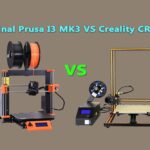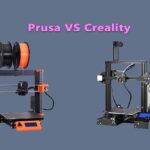
One correction before anything else, because the old version of this comparison got it backwards: the original Ender 3 does have a heated bed. It always did — a 24 V heated bed was one of the reasons it shook up the budget market in 2018. What the Ender 3 lacks is everything the Prusa i3 MK3 layers on top of the basics: automatic mesh levelling, a filament sensor, a removable spring-steel print surface, and a direct-drive extruder. This comparison is between the two original machines — the 2018 Ender 3 and the MK3/MK3S generation of Prusa’s i3 — because both are now used-market and long-term-owner machines, and the differences that matter today are exactly the ones those features create.
Prusa i3 MK3 vs Ender 3: specifications
| Specification | Original Prusa i3 MK3 | Creality Ender 3 |
|---|---|---|
| Build volume | 250 × 210 × 210 mm | 220 × 220 × 250 mm |
| Extruder | Direct drive (Bondtech gears) | Bowden, single gear |
| Bed levelling | Automatic mesh levelling (PINDA probe) | Manual, four knobs |
| Print surface | Removable magnetic spring-steel sheet | Fixed bed surface (glass on later units) |
| Filament sensor | Yes (optical on MK3, IR on MK3S) | No (stock) |
| Power-loss recovery | Yes (Power Panic) | Resume function on later boards |
| Mainboard / drivers | Einsy RAMBo, TMC2130 drivers, sensorless homing | 8-bit V1.1.x board, A4988-class drivers |
| Power supply | 24 V | 24 V |
| Heated bed | Yes | Yes (see above) |
The table hides the real story in a single row: day-to-day friction. Both machines melt the same filament through a 0.4 mm nozzle and can produce prints of genuinely similar quality once dialled in. The MK3’s extra hardware exists to make “dialled in” the default state rather than a weekly ritual.
Where the MK3 earns its premium
- Levelling you don’t think about. The PINDA probe measures the bed before every print and compensates for its tilt and warp. The Ender 3’s four-knob manual levelling works — but it drifts, and it is the single largest source of failed first layers and beginner frustration on the machine. Our calibration guide exists largely because of this row of the table.
- Direct drive. Bondtech dual gears driving filament straight into the hotend mean better control of flexible filaments and cleaner retractions than the Ender 3’s Bowden tube allows — the same physics covered in our TPU printing guide.
- The spring-steel sheet. Flex it and the print pops off; swap sheets for different materials and surfaces. Next to it, prying parts off a fixed Ender 3 bed feels like archaeology.
- Filament sensor + power panic. Run out of filament or lose power mid-print and the MK3 pauses and resumes properly. On a stock Ender 3, either event usually ends the print.
- Quiet, smart board. The Einsy board’s TMC2130 drivers (with sensorless homing and crash detection) are a generation ahead of the Ender 3’s noisy A4988-era electronics.
Where the Ender 3 fights back
- Price — then and now. The MK3 cost several times more when new, and tidy used MK3s still command strong money. A used Ender 3 costs so little that it is nearly disposable — which makes it the rational first printer and the rational second printer (the one you modify without fear).
- Taller build volume. 250 mm of Z against the MK3’s 210 mm — a real edge for tall prints.
- The upgrade ocean. No printer has more parts, boards, guides and community knowledge behind it. Nearly every MK3 advantage in the list above can be retrofitted to an Ender 3 — a probe, a direct-drive kit, a silent board, a spring-steel sheet — and doing so is half the hobby for many owners.
- Simplicity. Fewer sensors is fewer things to fail, misread or confuse a diagnosis. The Ender 3 is the more transparent machine to learn on.
The used-buying verdict
Choose the MK3 if you want to print rather than tinker: it is the appliance of the pair, and its levelling, sensor and surface advantages are the ones you feel on every single print. Choose the Ender 3 if the budget is tight, if you enjoy modifying machines, or if you want a learning platform with an answer to every problem one search away — accepting that levelling discipline is part of the deal. Neither machine is current (the comparison with today’s Creality range is in our buying guide), but both remain honest tools — as long as nobody tells you the Ender 3 has no heated bed.
Frequently asked questions
Does the Ender 3 have a heated bed?
Yes — it always has. The original Ender 3 shipped with a 24 V heated bed, one of its headline features at its price. Claims that it lacks one (including in the old version of this article) are simply wrong.
Which prints better, the MK3 or the Ender 3?
At their best, print quality is close — the same slicer settings produce comparable parts. The difference is consistency: the MK3’s auto levelling, filament sensor and direct drive make good prints the default, while the Ender 3 asks the owner to maintain that state manually.
Is the MK3 worth several times the price of an Ender 3?
When new, that gap bought the automation listed above. Used, it depends on condition and the included extras. If you value your time over tinkering, yes; if the tinkering is the point, the Ender 3 plus upgrades is the better story.
Can an Ender 3 be upgraded to MK3-level convenience?
Mostly. An auto-levelling probe, a silent 32-bit board, a direct-drive extruder and a magnetic spring-steel surface close nearly the whole gap — the Ender 3’s enormous aftermarket exists precisely for this. The MK3’s integration and Prusa’s firmware polish are the parts that don’t bolt on.
MK3 or MK3S — does the letter matter?
The MK3S is a refinement (improved filament sensor, tidier extruder), not a different class of machine. Everything in this comparison applies to both; buy on condition rather than the badge.
Hassan Khan

Hassan Khan is a leading voice when it comes to the innovative world of additive manufacturing. A mechanical engineer by training, Hassan quickly recognized the transformative potential of 3D printing, diving headfirst into the intricacies of printer design, filament research, and software optimization. At CrealityLovers.com, Hassan shares his profound knowledge, from insightful reviews and tutorials to forward-thinking op-eds that forecast the future of 3D printing. Hassan's commitment goes beyond the written word. Hassan Khan aims to empower every reader, from novices to industry experts, ensuring they make informed decisions in their 3D printing endeavors.