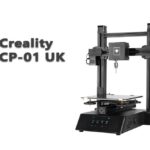
The Creality CP-01 is the machine Creality built for people who could not decide which tool to buy first. Sold from around 2019, it is a modular 3-in-1 machine: one aluminium frame and motion system, with three interchangeable toolheads — a 3D printing head, a laser engraving head, and a small CNC carving head — that swap onto the same carriage. It is discontinued now, so this guide is written for the people who still meet it: owners keeping one running, and used buyers wondering whether one machine that does three jobs is a bargain or a compromise. The honest answer is “both, depending on the job” — here is the detail.
Creality CP-01 specifications
| Specification | Creality CP-01 |
|---|---|
| Machine type | Modular 3-in-1: FDM 3D printing, laser engraving, CNC carving |
| 3D print volume | 200 × 200 × 200 mm |
| Laser / CNC work area | About 200 × 200 mm (usable laser area can be smaller) |
| Laser module | Low-power blue diode, 0.5 W class — engraving only |
| CNC module | Spindle up to about 4,800 rpm, small collet for light bits |
| Extruder / nozzle | Single extruder, 0.4 mm nozzle, up to about 260 °C |
| Heated bed | Yes, up to about 100 °C, glass build plate |
| Bed levelling | Manual — no automatic levelling |
| Display | 4.3-inch colour touchscreen |
| Sensors / recovery | Filament runout detection, power-loss resume (printing) |
| Connectivity | TF card, USB |
| Frame / size / power | Aluminium extrusion, about 440 × 395 × 535 mm, 24 V |
The toolheads share one connector system, so switching jobs means unclipping one module, fitting another and loading the matching file type — a few minutes’ work rather than a rebuild. That convenience is the CP-01’s whole idea, and also the source of every compromise below: one frame, one set of motors and one controller must serve three quite different processes.
Module 1: the 3D printer
As a printer, the CP-01 is a competent Ender-era machine: 200 × 200 × 200 mm of build volume, a heated glass bed, layer heights in the usual 0.1–0.4 mm range, print speeds of its generation (tens of mm/s, not hundreds), and filament runout detection with power-loss resume. It prints the standard materials of its class — PLA first and foremost, with PETG, TPU and ABS within reach of a 260 °C-class hotend and a 100 °C bed.
Two honest notes. Levelling is manual — knobs and patience, exactly as on an Ender 3 of the same years; the routine in our calibration guide transfers directly. And because the toolhead shares its mount with two other modules, keeping the head seated firmly and the carriage adjusted is part of ownership: a slightly loose module shows up as print defects that look like tuning problems.
Module 2: the laser engraver
The laser head is the module most often oversold, so plainly: at 0.5 W class, this is an engraving laser. It marks wood, paper, card, leather and some plastics — names on boxes, logos on coasters, patterns on phone cases. It does not meaningfully cut: not wood, not acrylic, and certainly not metal. Owners expecting a smaller version of a dedicated diode laser will be disappointed; Creality’s own later Falcon line exists precisely because a real laser tool needs ten to eighty times this power — our Falcon2 LightBurn guide shows what that class of machine involves, safety rules included. The same eye-protection discipline applies here, low power or not: never look at the beam, and never leave it running unattended.
Module 3: the CNC carver
The CNC head is a small spindle (up to roughly 4,800 rpm) with a collet for light bits. In CNC terms this is a carving tool for soft materials: engraving and light profiling in soft woods, plastics and PCB blanks are its realistic territory. It is not a milling machine — no metal machining, no deep or aggressive cuts, and workholding is your problem to solve on a bed designed first for printing. Used within those limits it is genuinely fun and useful for signs, inlays and circuit-board prototypes; pushed beyond them it will chatter, stall and ruin work.
The honest verdict on “3-in-1”
A dedicated printer out-prints it, a dedicated laser vastly out-engraves it, and a dedicated CNC out-carves it. That is not a condemnation — it is the arithmetic of shared hardware. What the CP-01 actually sells is one footprint, one purchase and one learning curve for sampling three crafts. For a school, a makerspace on a budget, or a hobbyist who genuinely does a little of each, that trade can be the right one. For someone who mainly prints, the laser and CNC heads will spend their lives in a drawer — and a straightforward printer from the current range (see our Creality buying guide) is the better spend.
Owning one today: the CP-01 is discontinued, so support is community knowledge now. The printer side shares the Ender-era parts ecosystem (nozzles, PTFE, wheels, belts, fans). The machine-specific parts — the three toolhead modules and their connectors — are the scarce items, so a used example’s value lives or dies on whether all three heads are present and working. File preparation is per-mode: a slicer for prints, separate tools for laser and CNC work — there is no single unified software that does all three well, and never really was.
Frequently asked questions
What can the Creality CP-01 actually do?
Three things on one frame: FDM 3D printing up to 200 × 200 × 200 mm, low-power laser engraving (marking wood, paper, leather and similar), and light CNC carving in soft materials such as wood, plastic and PCB blanks. The toolheads swap in minutes via a shared connector.
Can the CP-01’s laser cut wood or acrylic?
No. The laser module is in the 0.5 W class — an engraving/marking tool. Cutting sheet material needs a dedicated diode laser with far more power, such as Creality’s Falcon series. Expecting cuts from the CP-01 laser is the most common disappointment with this machine.
Can the CP-01 mill metal?
No. Its spindle (about 4,800 rpm, small collet) is for carving soft materials — soft wood, plastics, PCB. Metal milling needs a far stiffer, more powerful machine.
Does the CP-01 have automatic bed levelling?
No. Levelling is manual, with bed knobs, as on other Creality machines of its era. It does have filament runout detection and power-loss resume for printing.
Is the CP-01 still worth buying?
New, it is discontinued. Used, it can make sense at the right price for a school, makerspace or hobbyist who truly wants all three functions in one footprint — provided all three toolheads are included and working, since those are the hard parts to replace. If you only print, a dedicated printer is the better buy.
Hassan Khan

Hassan Khan is a leading voice when it comes to the innovative world of additive manufacturing. A mechanical engineer by training, Hassan quickly recognized the transformative potential of 3D printing, diving headfirst into the intricacies of printer design, filament research, and software optimization. At CrealityLovers.com, Hassan shares his profound knowledge, from insightful reviews and tutorials to forward-thinking op-eds that forecast the future of 3D printing. Hassan's commitment goes beyond the written word. Hassan Khan aims to empower every reader, from novices to industry experts, ensuring they make informed decisions in their 3D printing endeavors.